An AI learning workspace

From a question, to understanding, to finishing.

Chat, tutoring, course creation, interactive practice and a plan for the next step—see how the tools connect through real product screens.

Reactutor combines OpenMAIC course creation and step-by-step AI Tutor guidance with DeepTutor learning support, from preparation to practice and review.

  1. AI Chat · Deep Research

    Follow one question further.

    Ask about a concept, work through examples or choose a research, quiz or visualization mode in one conversation.

    • Choose a mode that fits the question.
    • Bring documents or available knowledge sources into context.
    • Return to earlier conversations and explore related ideas.
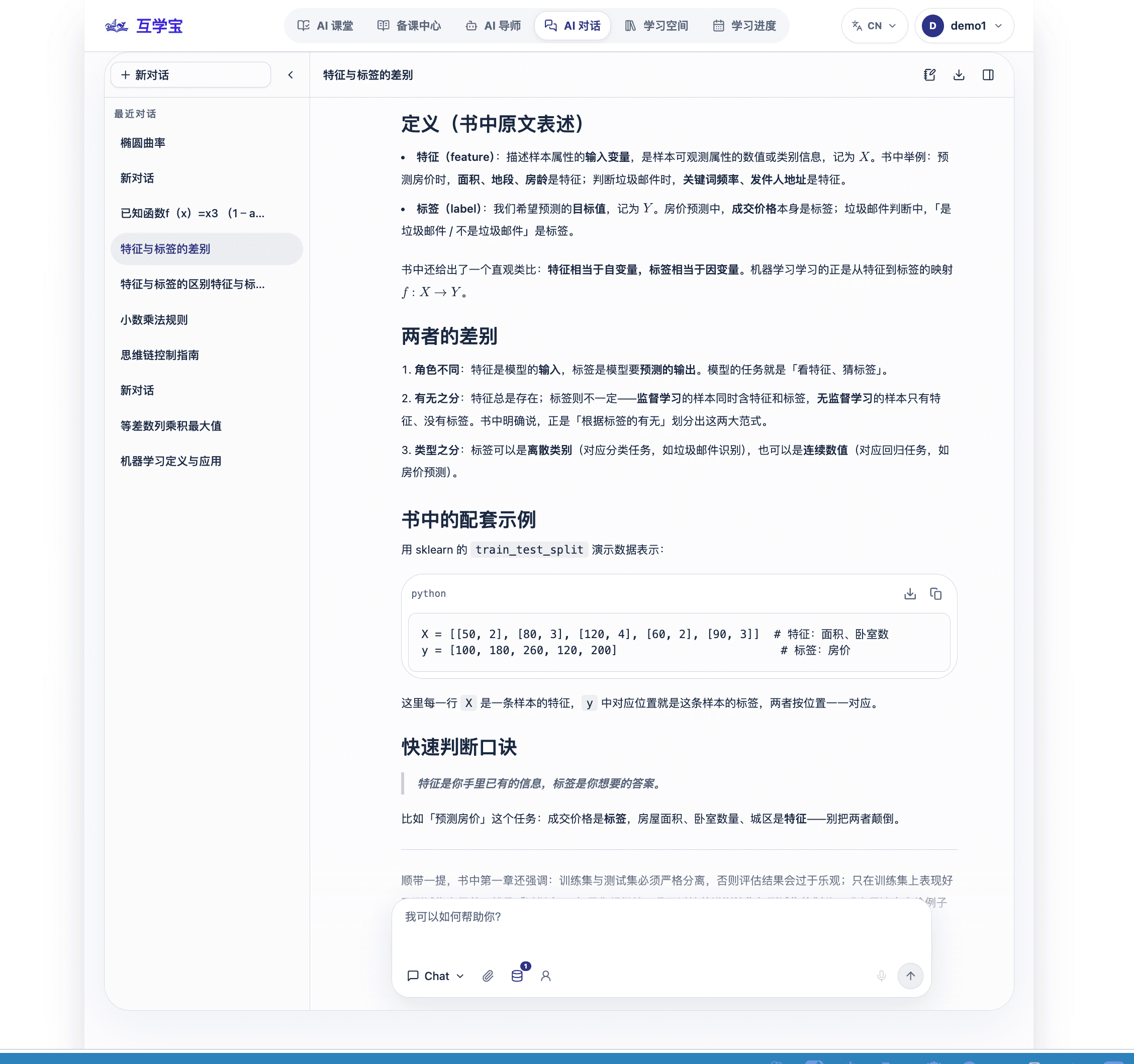
    AI Chat conversation example with concepts and worked content.
    AI Chat conversation example with concepts and worked content.
    AI Chat conversation example with concepts and worked content.
  2. AI Tutor · Guided practice

    Make a hard problem clearer, step by step.

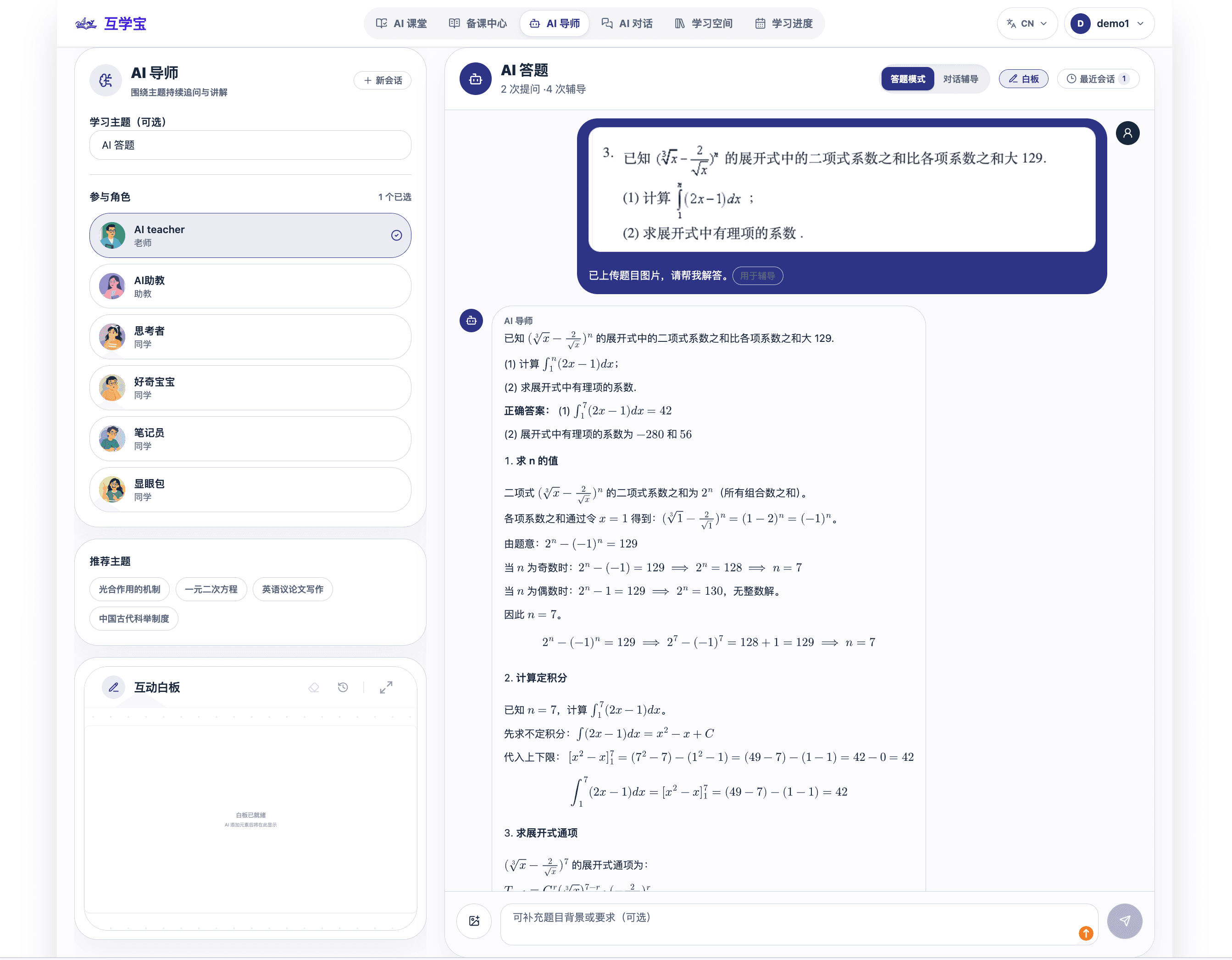
    Move between guided help, explanation and practice, with a whiteboard for formulas and diagrams.

    • Choose guidance, explanation or practice.
    • Work through reasoning on the whiteboard.
    • Review the result before moving on.
    AI Tutor example with a question and whiteboard explanation.
    AI Tutor example with a question and whiteboard explanation.

    AI Tutor example with a question and whiteboard explanation.

  3. AI course creation · Editing

    From a topic to every page of the course.

    Shape a course proposal, confirm its chapters, then review and refine AI-generated teaching content.

    • Start with your teaching intent and available sources.
    • Confirm the proposal and chapter structure.
    • Edit selected content before accepting changes.
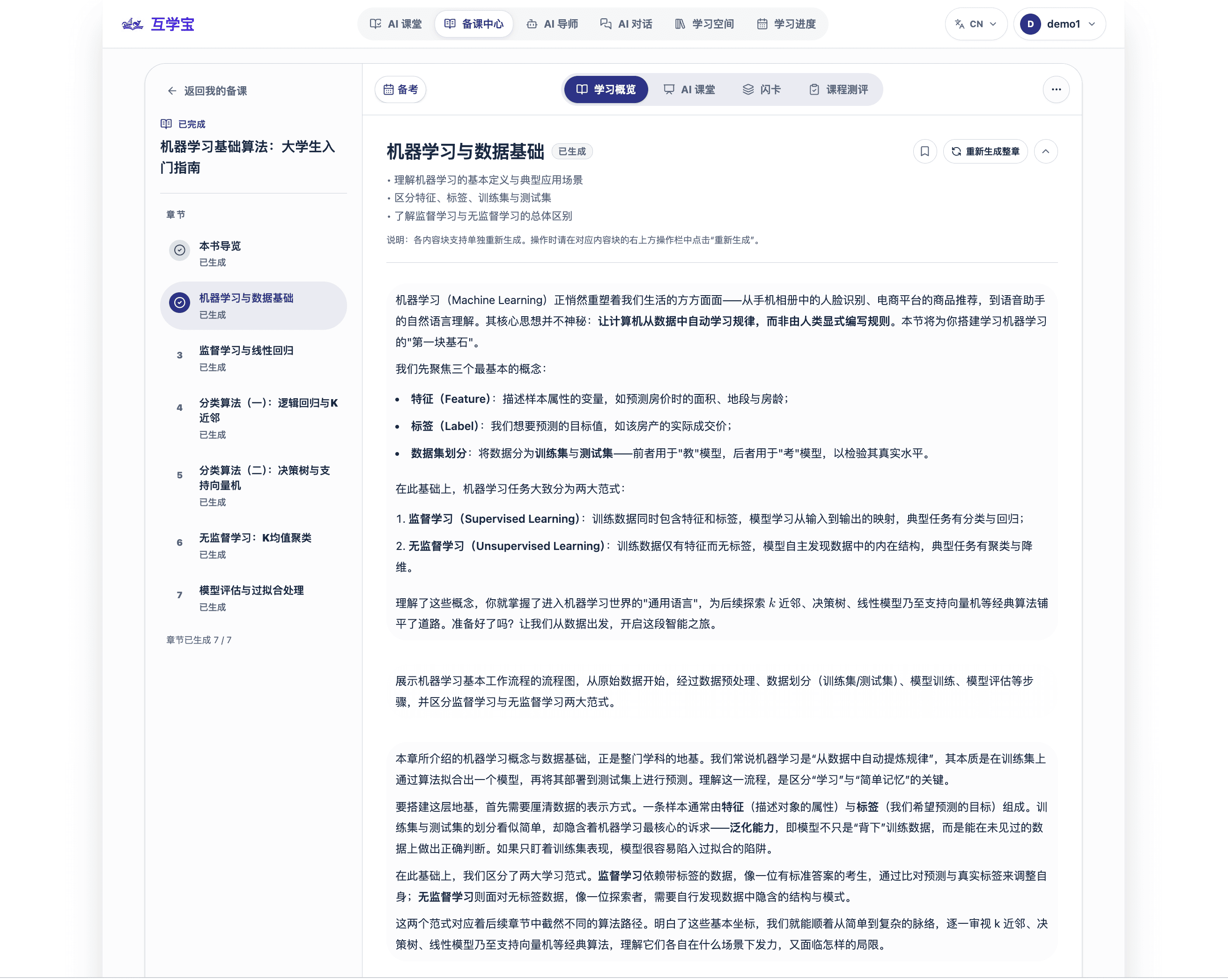
    Course preparation workspace showing a chapter structure.
    Course preparation workspace showing a chapter structure.
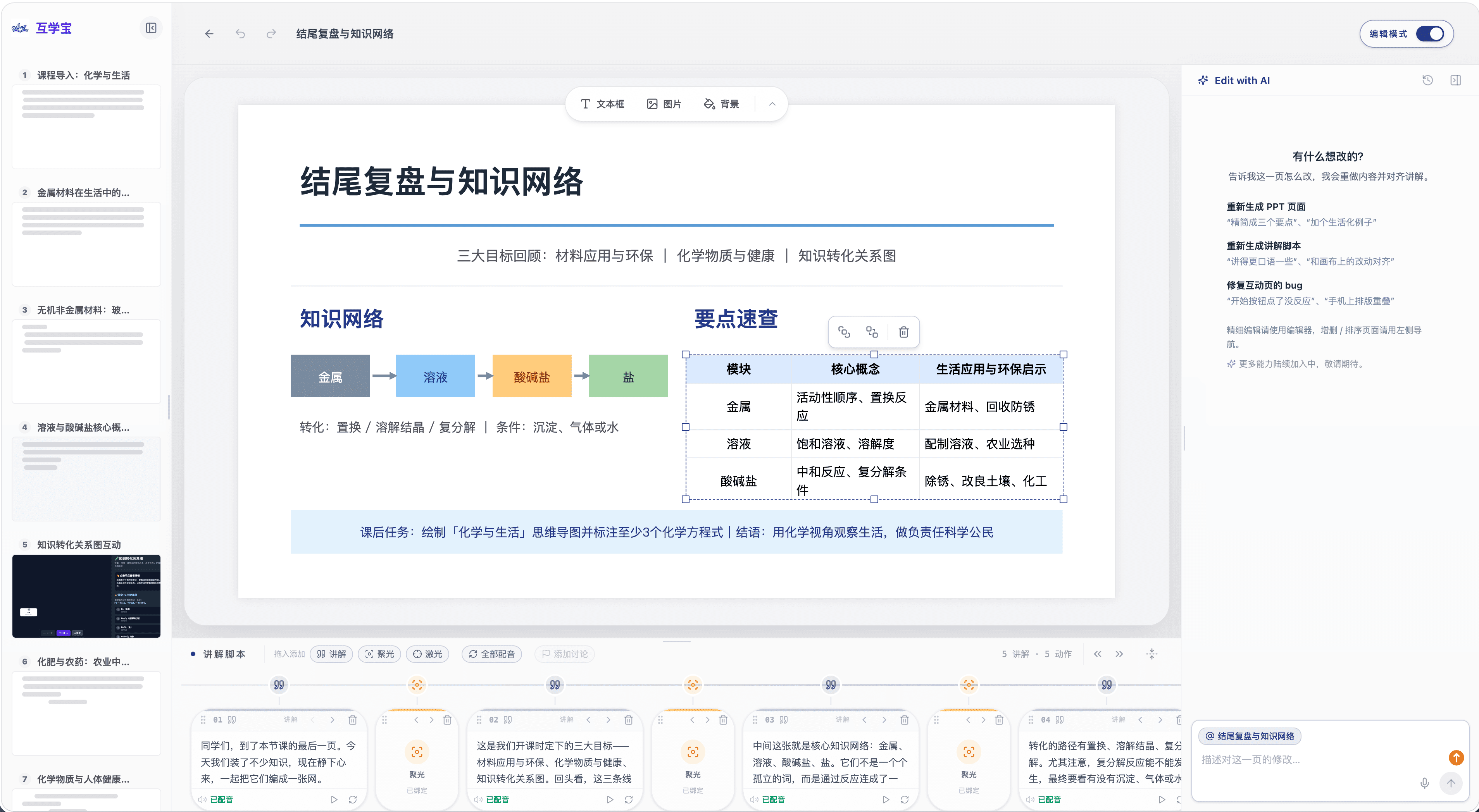
    AI editor showing a chapter draft; AI-generated text requires review.
    AI editor showing a chapter draft; AI-generated text requires review.

    Course preparation workspace showing a chapter structure. AI editor showing a chapter draft; AI-generated text requires review.

  4. Interactive learning · Assessment

    Explore by doing. See what has clicked.

    Connect interactive chapter content with practice questions and course assessment in the same learning journey.

    • Explore a concept through interactive content.
    • Check understanding with chapter questions and cards.
    • Use course assessment to review progress.
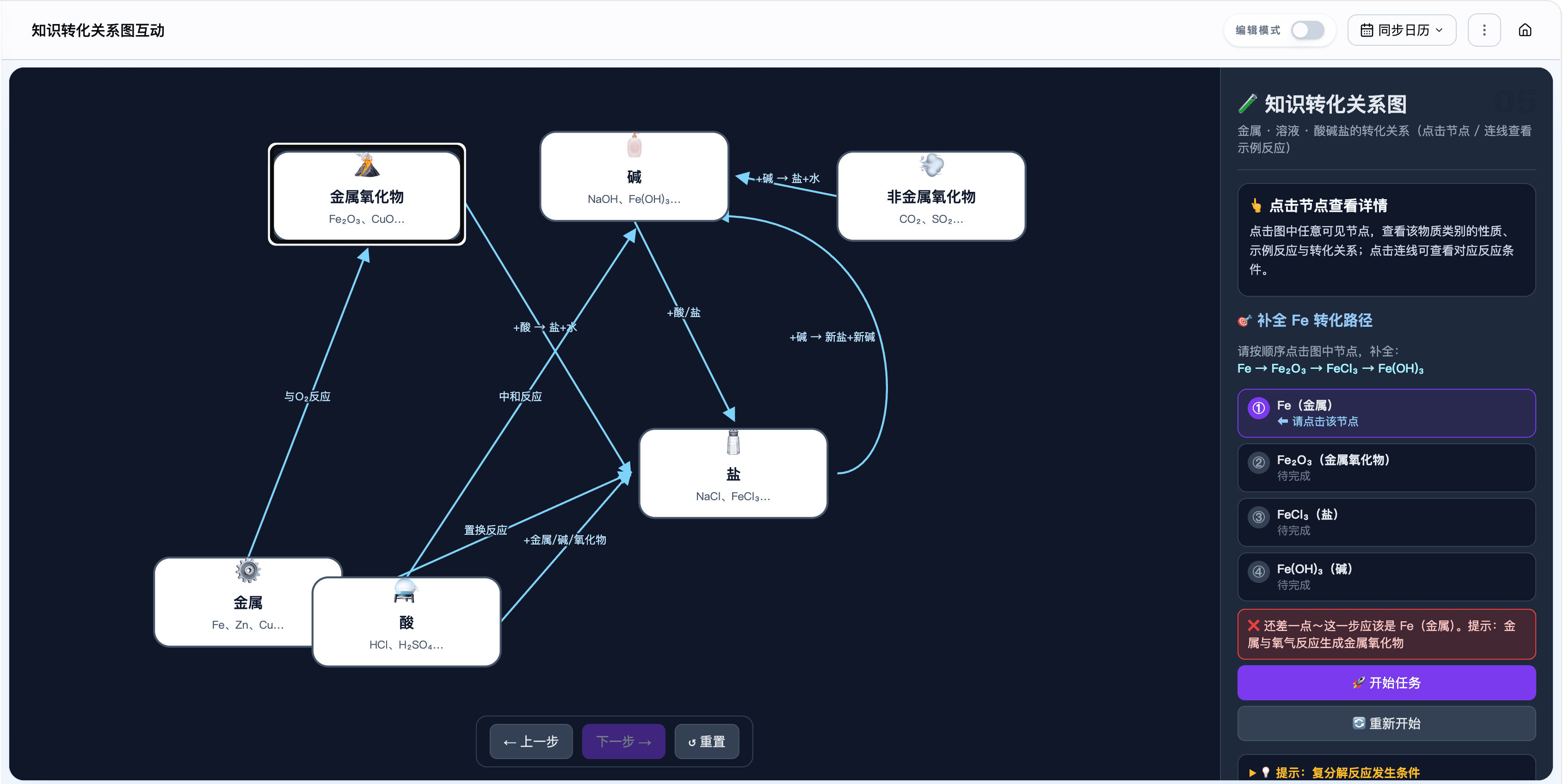
    Interactive course content example.
    Interactive course content example.
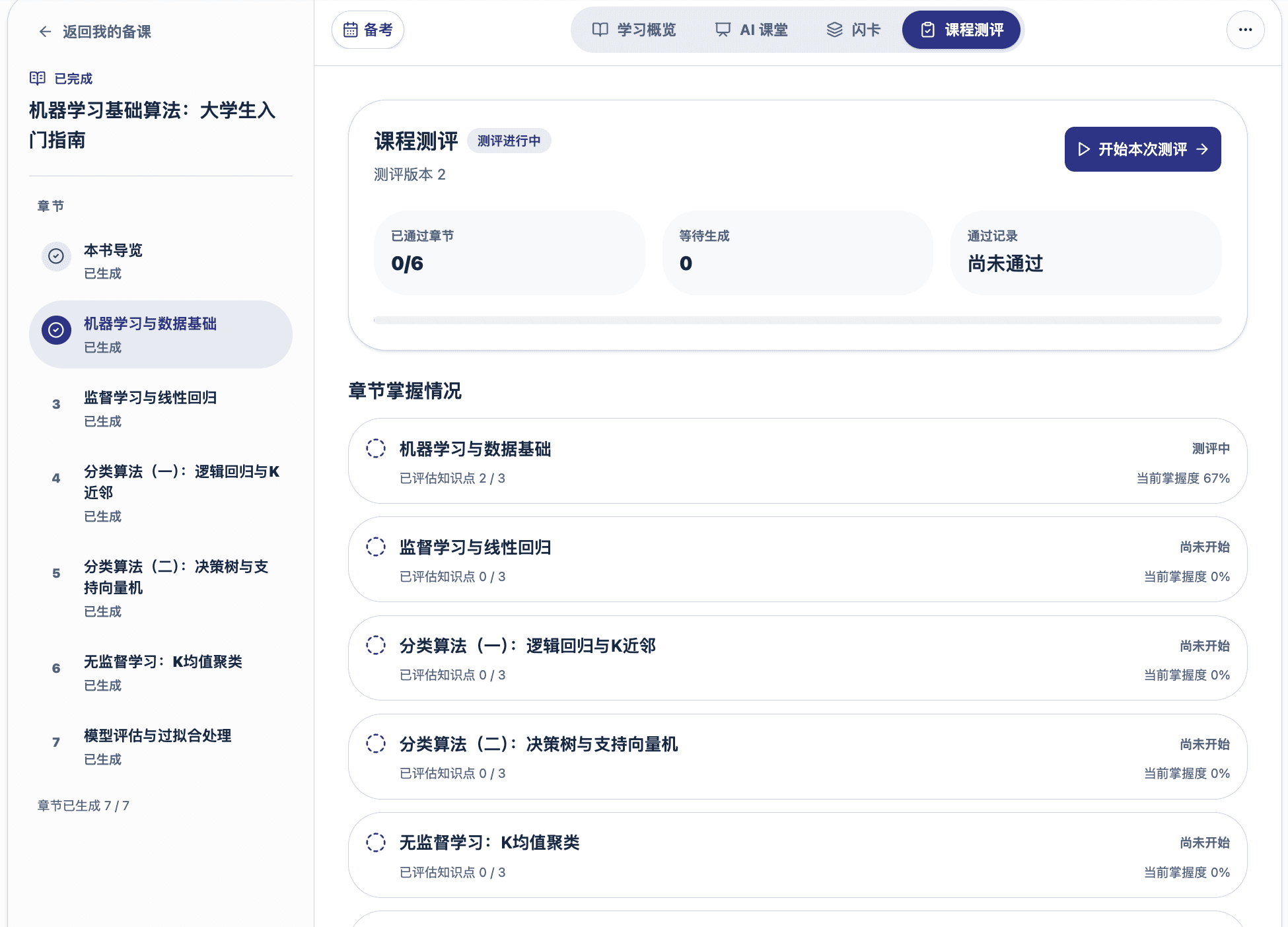
    Course assessment example within a course.
    Course assessment example within a course.

    Interactive course content example. Course assessment example within a course.

  5. Study plans · Progress

    Give every learning goal a place in the day.

    Turn a goal and learning materials into a plan, then use the calendar to manage lessons and reviews.

    • Define a goal, materials and a target date.
    • Plan lessons after content is ready.
    • Track daily tasks, reviews and progress.
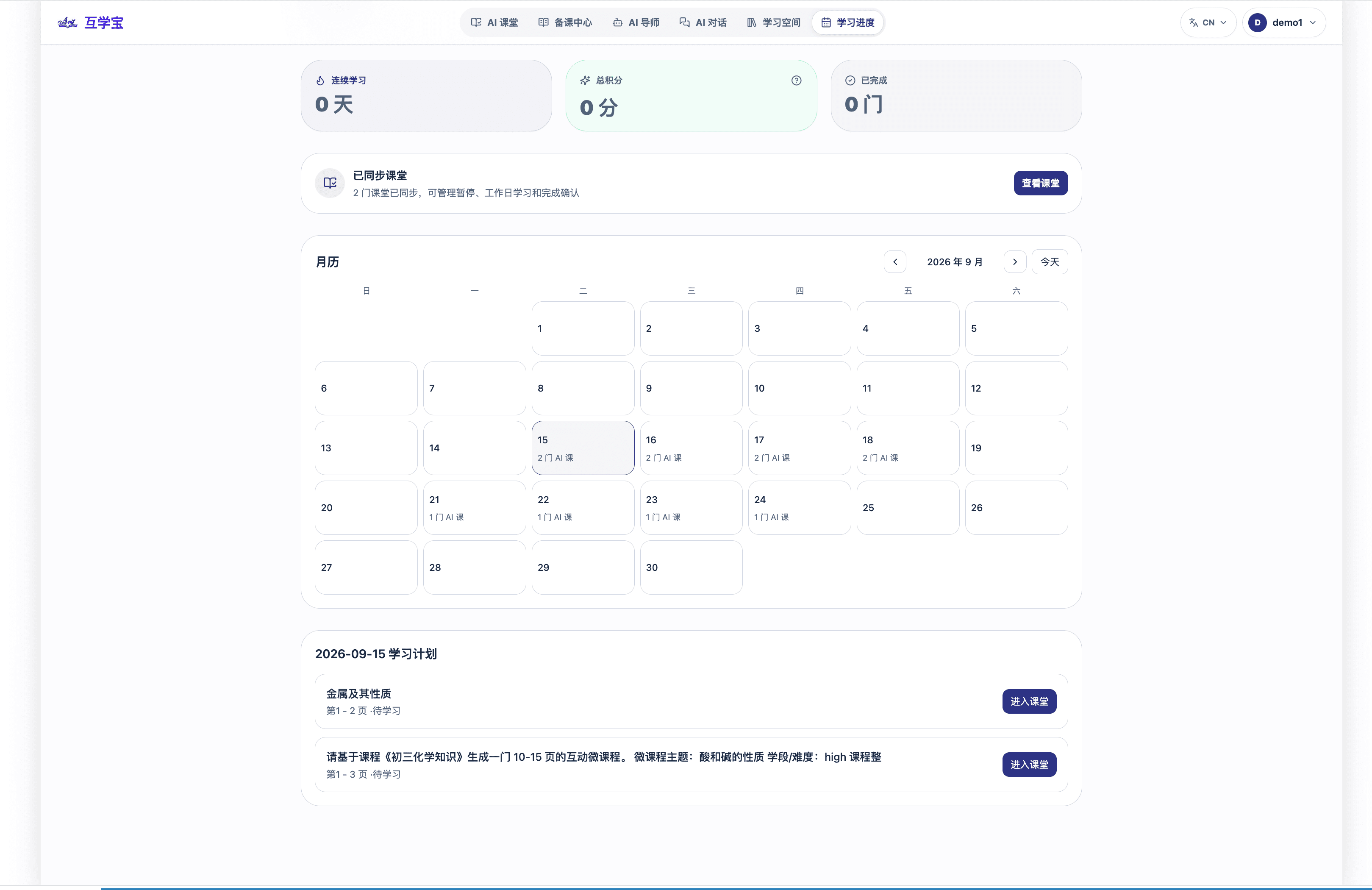
    Learning plan calendar and daily tasks example.
    Learning plan calendar and daily tasks example.

    Learning plan calendar and daily tasks example.

Features | Reactutor AI Courses and Learning Tools